Easy POS and Billing
Create orders, manage items, calculate applicable taxes, and handle customer billing through an organized point-of-sale interface.
Now onboarding restaurants across India
Orders, billing, tables, kitchen tickets, takeaway, and daily sales — all in one simple system your team learns in minutes.
See it live on your own menu — book a free demo today.
Free walkthrough on your own menu · Built for dine-in restaurants, cafés, quick-service outlets, and takeaway businesses.
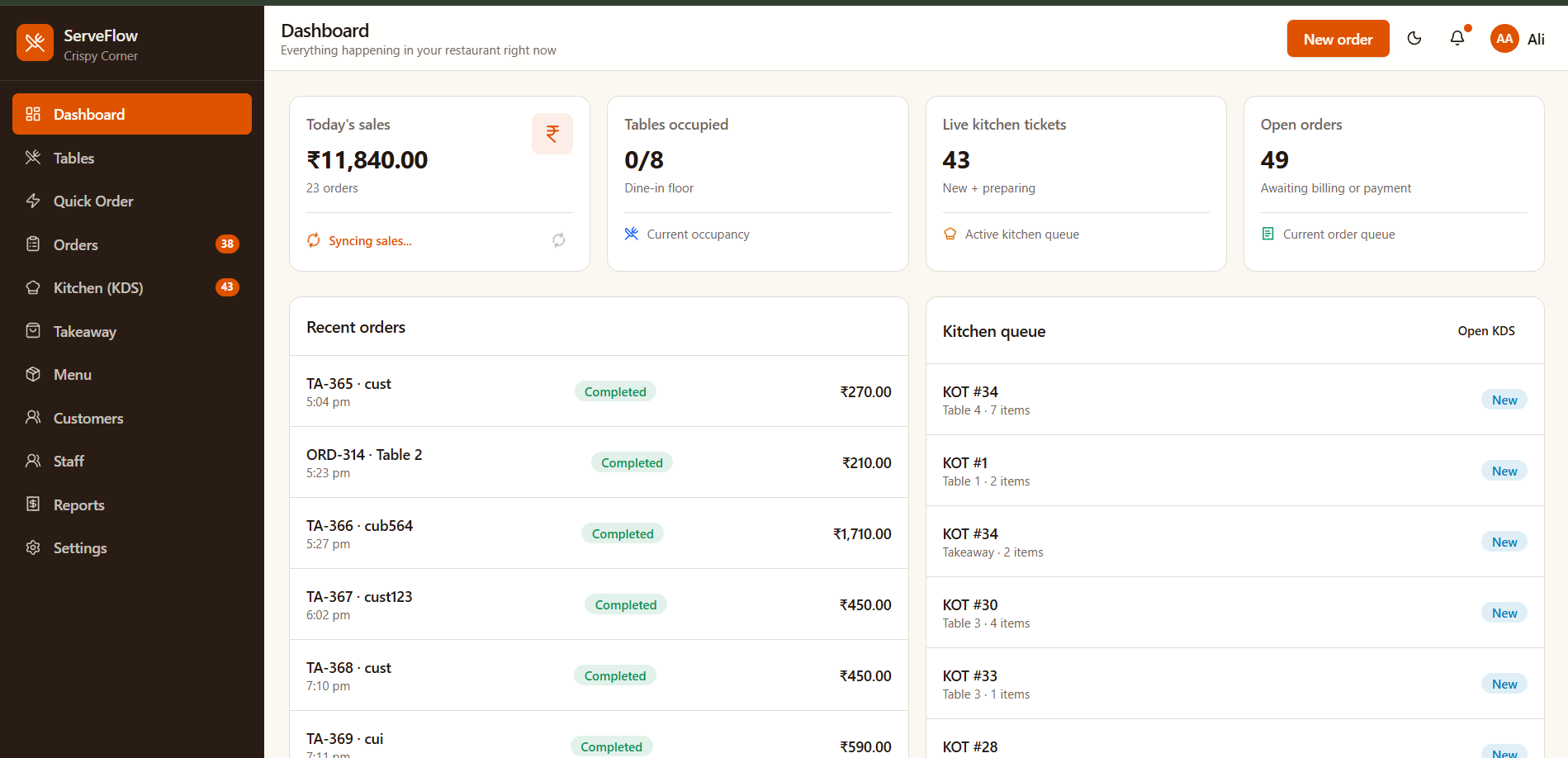
Keep dine-in, quick-order, and takeaway orders moving through one organized workflow.
Kitchen tickets and preparation status stay visible to your kitchen team.
See daily sales summaries and order activity from your dashboard.
Product Features
Bring your daily restaurant operations together with a POS built around the way restaurants work.
Create orders, manage items, calculate applicable taxes, and handle customer billing through an organized point-of-sale interface.
View table occupancy and manage dine-in orders with a clear overview of your restaurant floor.
Handle quick orders and takeaway transactions without mixing them into an unnecessarily complicated workflow.
Give kitchen staff a dedicated view of kitchen tickets, new orders, and preparation status.
Organize kitchen order tickets so the kitchen can follow incoming orders more clearly.
Maintain menu items, prices, categories, food types, and availability in one place.
Product Showcase
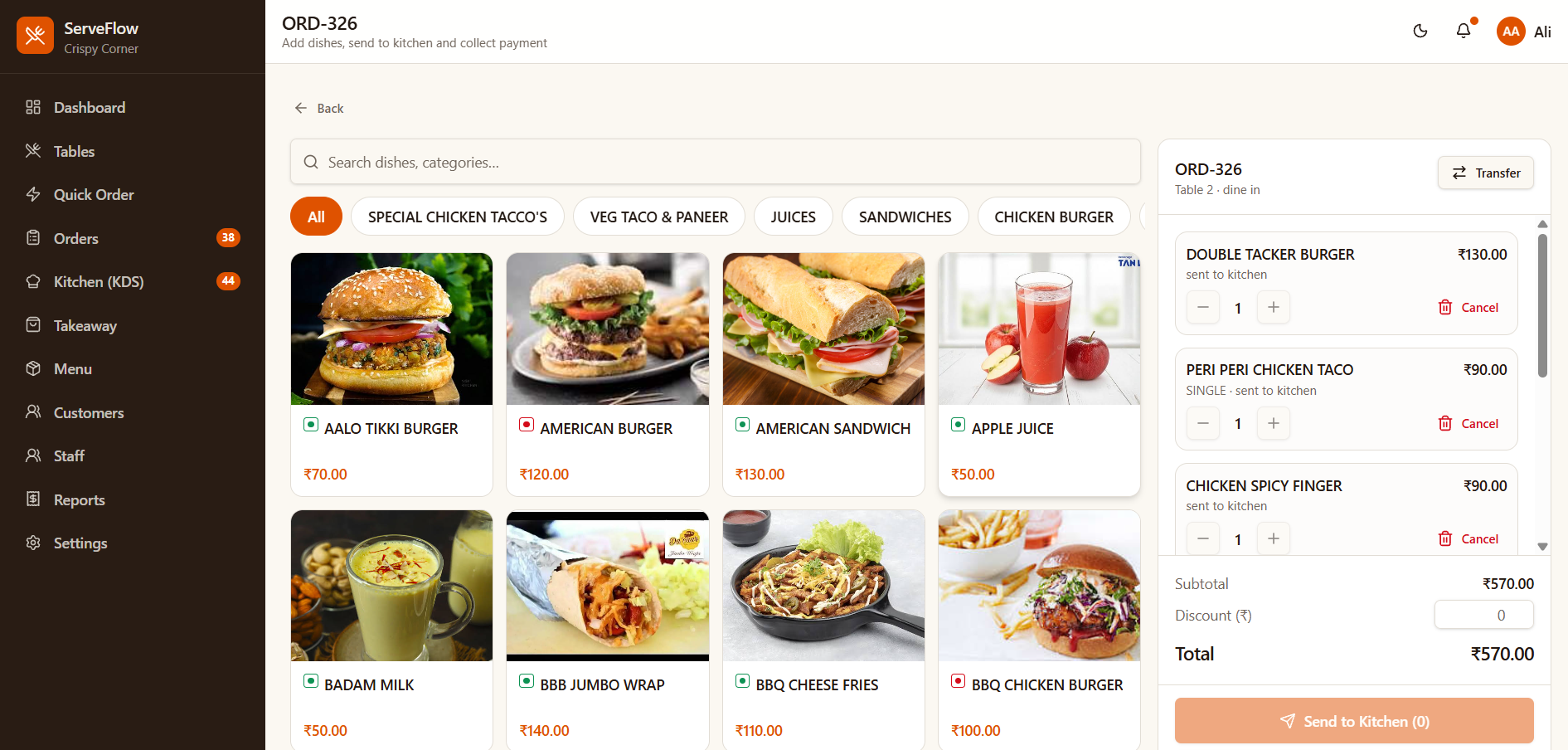
Keep track of recent orders and order statuses from a centralized interface.
Use the kitchen display to follow incoming tickets and preparation progress.
Review important operational information, including sales summaries and order queues.
Getting Started
Configure your restaurant details, menu, tax settings, and operational preferences.
Use ServeFlow POS to manage supported dine-in, quick-order, and takeaway workflows.
Review orders, kitchen activity, and available sales reports from your dashboard.
Why ServeFlow POS
Keep supported restaurant operations accessible through one system.
Interfaces designed around orders, tables, kitchen tickets, and billing.
Support relevant dine-in, quick-order, and takeaway workflows.
Present supported staff and outlet capabilities without promising unsupported functionality.
Pricing
Start with the essentials and grow into a more complete operational workflow.
Essential tools for small restaurants getting started with digital order management.
Contact us for pricing
Menu item and daily order limits apply per the plan's supported usage tracking.
Choose BasicMore flexibility for busy restaurants that need a more complete operational workflow.
Contact us for pricing
Advanced capabilities for restaurants looking for the most complete available ServeFlow POS experience.
Contact us for pricing
FAQ
ServeFlow POS is a restaurant management and point-of-sale platform designed to help restaurants manage supported ordering, billing, kitchen, and reporting workflows.
It is intended for restaurants, cafés, quick-service businesses, and takeaway operations. Contact us to discuss your setup.
ServeFlow POS includes kitchen order ticket workflows and a kitchen display experience, according to the supported configuration.
The platform includes a takeaway workflow. Contact our team to confirm which plan is right for your business.
Pricing depends on the selected plan and its supported limits. See our pricing page or contact us for the latest details.
Multi-outlet capabilities depend on the supported product configuration and subscription plan. Contact us for details.
Submit the contact form or call +91 8152009584 to discuss a demo.
Contact our team to discuss onboarding and the available setup assistance.
Discover how ServeFlow POS can support your ordering, billing, kitchen, and day-to-day restaurant workflow.